
Every year, businesses lose millions due to outages, not because systems fail, but because their disaster recovery (DR) environments don’t restore them properly. As virtual machines (VMs) run most enterprise workloads, it is important to make sure that their data, configurations, and applications are recovered without loss. This has become both crucial and technically challenging. From disk replication and RPO challenges to version drift and network mismatches, even small gaps can cause failover failures. In this blog, we discuss the main technical challenges of DR for VMs and the best practices to address them.
Explore stronger DR strategies for always-on operations
A resilient DR setup isn’t just about copying VMs; it’s about replicating every dependency, configuration, and network state with precision. Hidden inconsistencies often surface only during real failovers, when it’s already too late. That’s why modern Disaster Recovery strategies focus on automation, continuous validation, and cloud-native capabilities to ensure VMs recover exactly as expected.
Replication of Disks
Whenever the data in the primary systems is damaged, misconfigured, or attacked, there is no up-to-date backup, risking serious data loss. VM disk replicates our storage to the DR site, ensuring that businesses can continue functioning even if something goes wrong.
How VM Disk replication works
- Block-Level Replications: This is the most commonly used method. Whenever an operation occurs in the primary VM, it captures and transfers information of the changed block of data in real-time. It’s highly efficient as it doesn’t require any knowledge of the file system structure.
- Snapshot-Based Replication: It is similar to periodically freezing the entire VM. Only the data blocks that have changed since the last snapshot are transferred. But any new data created after the previous snapshot and before the next one is not saved. So if a failure occurs in between, the data is lost, which inherently leads to a higher Recovery Point Objective (RPO).
- Streaming Replication: This method continuously transfers the data in real-time. Unlike periodic snapshots, streaming replication captures data at the block or byte level as soon as it is written and sends it to the replica without waiting for fixed intervals. This keeps the DR environment almost in sync with production, enabling a very low RPO.
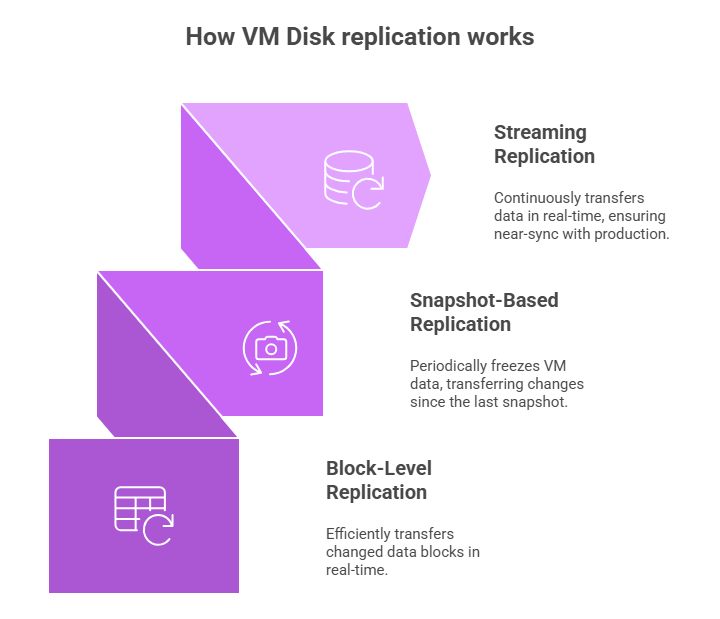
Figure 1: Visual illustration of how VM replication disk works: streaming replication, snapshot-based replication, and block-level replication
Key Issues and Constraints:
- Large disks or workloads with high I/O (many writes per second) can strain replication and storage.
- Latency and bandwidth heavily impact replication. Synchronous replication requires DR acknowledgment before updates are confirmed, making it suitable only for short distances. Asynchronous replication avoids this delay but increases the risk of RPO.
- Write-order fidelity ensures that data commits reach the DR site in the exact sequence they occurred on the primary VM; any deviation can break I/O consistency and lead to corrupted or unusable application states during recovery.
Ensuring the Latest Data Availability
The primary goal of the DR is to ensure that the DR site always has the correct information or data, so if something goes wrong, they don’t lose the important information. This means achieving the lowest possible Recovery Point Objective (RPO).
How to minimize data loss:
- Continuous vs periodic replication:
Continuous replication sends data to the DR site immediately whenever a change occurs, ensuring the backup is always nearly up to date.
Periodic replication sends data at fixed intervals (every few minutes or hours), so the backup is updated less often. - Managing asynchronous replication challenges: In asynchronous replication, data is sent to the DR site without waiting for confirmation of receipt. This can introduce delays, so organizations must manage factors such as network latency, packet loss, and throughput limitations to prevent the DR copy from falling behind and increasing the RPO.
- Handling dropped packets & congestion: Network drops and congestion can delay or interrupt data transfer to the DR site. Systems must detect missing data, resend it, and manage bandwidth efficiently to keep the DR copy as current and consistent as possible.
- Controlling replication lag: Replication lag occurs when the DR site cannot keep up with the rate of incoming changes. Organizations must optimize bandwidth, tune replication settings, and ensure sufficient infrastructure capacity to maintain a DR environment closely aligned with the primary system.
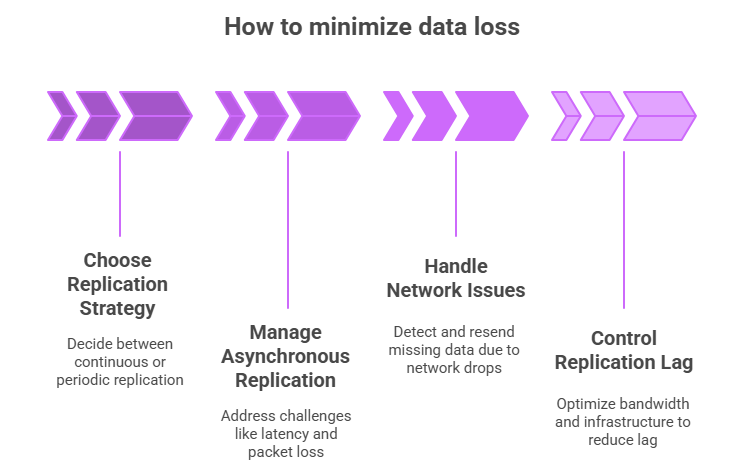
Figure 2: Visual illustration of how to minimize data loss: choose a replication strategy, manage asynchronous replication, handle network issues, and control replication lag
Maintaining Consistent Application Versions
Inconsistencies between the Primary (production) VM and the DR VM can cause a failover to fail, even if the data is perfectly replicated.
The Mismatch Problem
- VM OS and Patch Disparity: A minor difference in an operating system (OS) patch level or an installed hotfix between the Primary and DR VMs can cause applications to behave differently or fail outright.
- Dependency Mismatches: Applications rely on specific versions of middleware (e.g., web servers), runtimes (e.g., Java Runtime Environment, .NET Framework), or libraries. If the DR VM has a different version of a required dependency, the application won’t launch or function correctly.
- Challenges with Frequent Updates: In agile environments, applications are frequently updated. Manually ensuring that every code deployment, configuration change, and patch is applied to both the active and the dormant DR VM can be error-prone and tedious.
Strategies for Version Alignment
- Version Control and Infrastructure-as-Code (IaC): Treat the VM configuration itself as code, version-controlled in a repository. This ensures a single source of truth for the VM build.
- Golden Images and Templates: Use a “golden image,” a standardized, fully patched, and dependency-checked VM template, to deploy both the Primary and DR VMs. This minimizes differences from the start.
- Automated Patch Synchronization: Tools should automatically push required OS patches and security updates to both the Primary and DR VMs concurrently, or refresh the golden image used for the DR environment frequently.
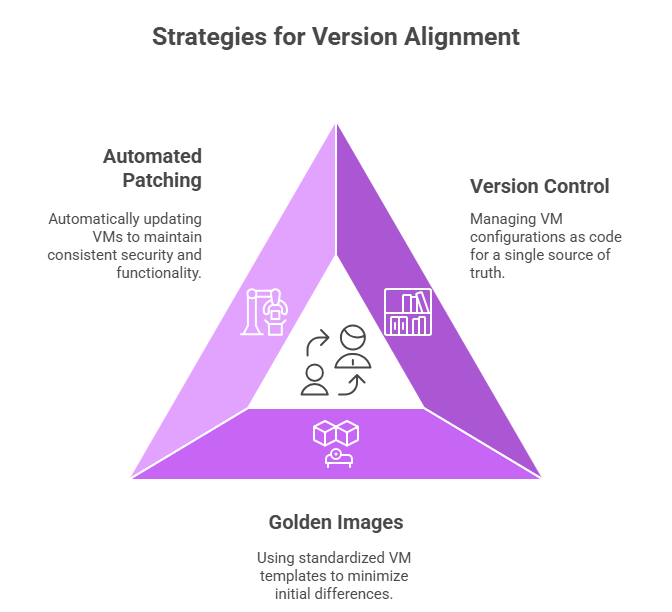
Figure 3: Visual illustration of strategies for version alignment: automated patching, version control, and golden images
Minimizing Configuration Changes in DR
A successful failover requires the recovered VMs at the DR site to integrate seamlessly into a new network and service environment without manual intervention.
The Problem of DR Environment Drift
1. Configuration Drift: Configuration drift occurs when the DR environment’s settings, such as network, security, or system configurations, gradually diverge from those of the primary environment because ongoing changes in production are not reflected in the DR setup.
2. Network and Service Mismatches: The most common configuration hurdles involve network configuration:
- IP Address Conflicts: Production and DR sites often use different IP subnets. The recovered VM must be automatically reconfigured with the correct DR IP address, default gateway, and subnet mask.
- Firewall Rules: The DR site’s firewalls must replicate the necessary rules from the Primary site, which may require translation to new DR IP addresses.
- DNS/Identity Services: Services like Active Directory or DNS must be updated or configured to point to the newly activated VMs at the DR site.
3. Handling Infrastructure-as-Code Drift: Even if IaC is used, changes in the underlying physical or virtual DR infrastructure (new hardware, updated hypervisors) can cause a configuration mismatch with the production environment.
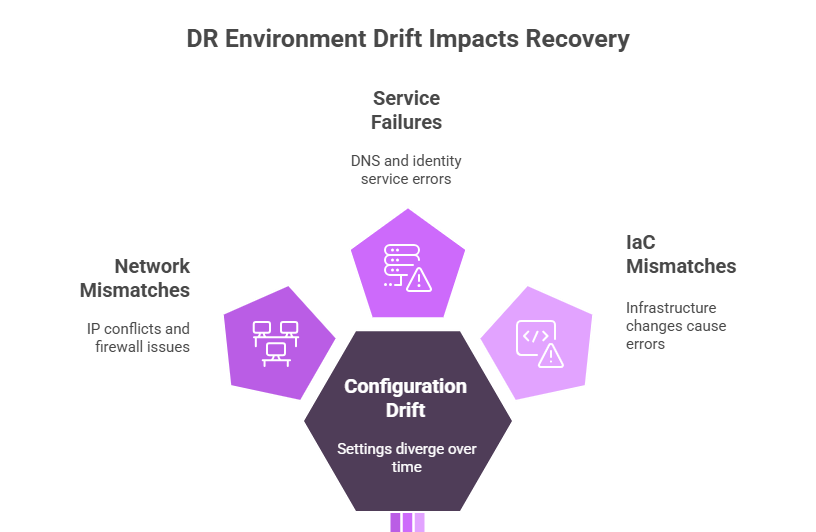
Figure 4: Visual illustration of the problem of DR environment drift: service failure, IaC mismatches, network mismatches
Automation and Testing:
Automation for Alignment: DR orchestration and configuration management tools (such as Ansible, Chef, or Puppet) automatically update network settings, firewall rules, and DNS mappings during failover, ensuring the DR environment matches production.
Importance of Testing and Periodic Drills: Regular, non-disruptive DR drills validate whether failover works as expected. Any failures discovered during testing are corrected immediately, ensuring that the automated processes will function reliably during a real disaster.
Best Practices to Overcome These Challenges
- Using Automated Replication Tools: Modern DR platforms and hypervisor-level replication tools automate data transfer, maintain write-order fidelity, and optimize bandwidth, ensuring consistent, reliable replication without manual intervention.
- Implementing Continuous Configuration Management: Tools like Ansible, Chef, and Puppet help keep the Primary and DR environments aligned by continuously syncing configurations, patches, and system settings, reducing environment drift.
- Leveraging Cloud-Native DR Capabilities: Cloud providers offer built-in DR features, including managed replication, cross-region snapshots, failover orchestration, and near-real-time data sync. These capabilities simplify DR operations and reduce infrastructure overhead.
- Standardizing Versions and Maintaining Golden VM Templates: Using approved, version-controlled golden images ensures consistent OS, application, and dependency versions across environments. This reduces mismatches and accelerates recovery.
- Network Architecture Designs That Minimize DR Failover Changes: Designing networks with consistent IP ranges, pre-mapped routes, and automated DNS failover reduces the configuration changes required during DR, enabling faster and more reliable recovery.
Conclusion
In the world of VM-based workloads, disaster recovery is no longer just a safety net; it’s a precision discipline. The smallest drift in versions, configurations, or network mappings can turn a failover into a failure. By combining automation, continuous validation, and cloud-native DR capabilities, enterprises can transform DR from a fragile backup plan into a dependable, production-ready shield. The organizations that invest in seamless, consistent, and intelligently orchestrated DR today are the ones that stay online, resilient, and unstoppable tomorrow.
Read our whitepaper on resilient infrastructure to explore the full framework, including DR architecture patterns, connectivity models, and best-practice operational runbooks for enterprise-grade reliability.